If you are seeking a specific tutorial subject on this site – Please search below
👇
Learn how to preserve your family heritage using high-resolution camera scanning techniques.
Unlock the full potential of your media collection with high-resolution camera scanning. Moving beyond slow flatbed scanners, modern camera scanning techniques allow you to quickly and accurately digitize vintage photos, slides, and negatives right from your own setup.
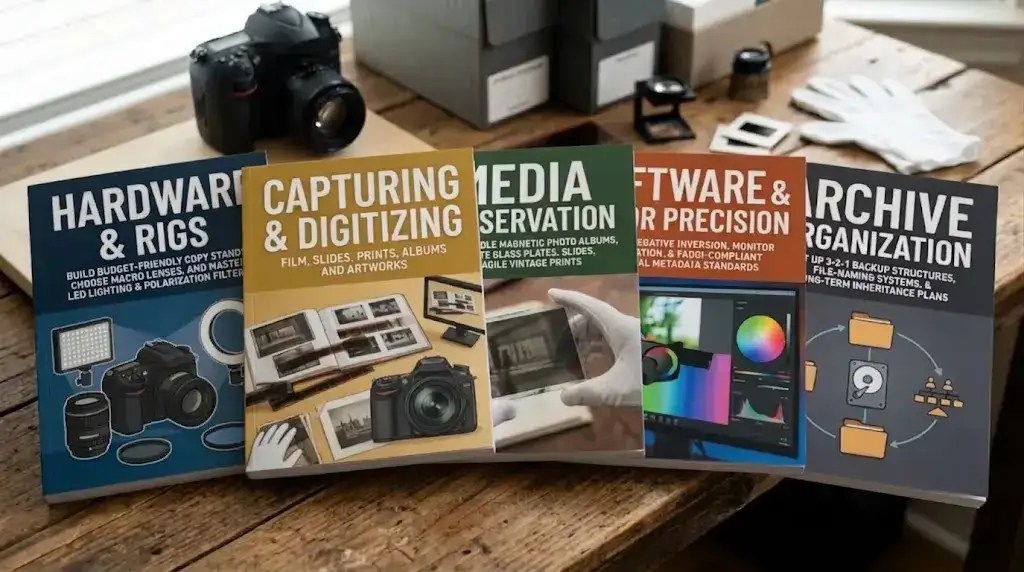
- Hardware & Rigs
- Capturing & Digitizing
- Media & Preservation
- Software & Color Precision
- Archive Organization
- Plus much more!
How to Archive Family Photos at Home: Step-by-Step DIY Guides
Whether you are building a structured digital archiving system for family memories or looking to master effective home photo scanning, these step-by-step guides walk you through the hardware, lighting, and software workflows needed to achieve professional-grade results. I have tried to design this home page as a directory to help you find the precise post you require.
🔀 Choose Your Learning Path
1️⃣ 📚 Completely New to Digital Photography?
If terms like aperture, RAW files, or ISO sound like a foreign language, please take this quick detour before diving into my advanced studio setups. These quick, beginner-friendly primers will get you up to speed in minutes:
- The Absolute Beginner’s Guide to Digital Archiving Jargon
- Digitizing And Archiving Introduction For Novices
- Your Essential Family Photo Archive: A Simple Guide
📔Ready for key, Step-by-Step Media Guides?
These fundamental guides break down the core process of camera digitizing step-by-step.
- Camera Scanning- Archive Structure & Priorities The core archive structure.
- Camera Scanning Guide: The Essential Equipment Required
- The Ultimate Guide to Digitizing Vintage Prints
- The Ultimate Guide to Digitizing Vintage Film
- DSLR Scanning Vintage Photo Albums: The Ultimate Guide
2️⃣📚 Experienced Photographer / archiving enthusiast?
If you already understand manual camera controls and RAW capture, you you will want to skip the basics and proceed directly to hardware setup, camera digitization, and archiving essentials.
Preparing and organizing the permanent physical archive for camera-digitization.

Technical Preservation

True archival preservation demands more than a good eye; it requires absolute technical precision. I’ve leveraged my career as an IT systems engineer and professional photographer to build bulletproof, field-tested frameworks that bridge the gap between artistic quality and digital data integrity.
If you are looking for a rigorous, data-driven approach to preserving your family history, you will find my comprehensive directory of tutorial links lower on this page.
The Advantages of Camera Digitization
Flawless Sensor Alignment: A rigid copy stand setup enforces a mathematically parallel plane between the camera sensor and your media, eliminating the optical distortion inherent in flatbeds.
Controlled Stability & Maximized Detail: Eliminating environmental variables allows you to capture raw, grain-sharp detail with museum-grade archival integrity.
Superior Optics: I recommend a dedicated macro lens. It captures raw data and fine grain, which traditional scanners often “smudge” with software interpolation.
The Complete Guide To Camera-Digitizing Vintage Archives
🎥 Don’t Miss my video Preserving The Past: A Guide To Archival Digitization
🔉💖 Preserve Your Heritage: These tutorials will help you safeguard your memories and make them accessible for future generations. Joyful family reunions are just a click away.

To build a professional and sustainable archiving workflow, start with these essential guides—carefully sequenced in order of importance.
I recommend familiarizing yourself with these posts first, before you start digitizing. They provide vital knowledge with which you will need to be armed.
Camera Scanning- Archive Structure & Priorities
Camera Scanning Guide: The Essential Equipment Required
Camera-Digitizing Mistakes That Ruin Your Archival Quality (And Fixes)
Protect Your Vintage Photo Legacy: The Essential Guide to IPTC Metadata
The Ultimate Guide to LED Lighting for Camera Digitizing
Unlocking the Hidden History on the Back of Family Photos
Polarizing Sheets & Lens Filters for Camera-Digitizing
Camera Digitization: Tethered Shooting Explained
The Beginner’s 3-2-1 Guide to Secure Digital Photo Archive Backup
Achieving Professional Color-Accuracy with Input Profiling
How to Safely Clean Precious Film
Vintage Media Preservation and Storage
FADGI Compliance for Amateurs: The FADGI-Lite Guide
A Guide To Archival Digitization: 8 Critical Steps Often Overlooked in Digitizing Tutorials
Still Naming Vintage Photos Based On Image Content?

Following are step-by-step guides to digitizing various types of vintage photos and film. I have included post-editing here because of its importance.
Camera digitizing is similar for all types of media; however, each media type has its own unique requirements.
The Ultimate Guide to Digitizing Vintage Prints
The Ultimate Guide to Digitizing Vintage Film
DSLR Scanning Vintage Photo Albums: The Ultimate Guide
Guide to Digitizing Artwork: Essential Techniques
Digitizing Vintage Documents and Letters
An Overview of Digitizing Cine Film
Instructions for Camera-Digitizing a Large Daguerreotype
A Guide to Camera-Digitizing Tintypes and Ambrotypes
Post-Editing Classic and vintage images
The following posts are ancillary to the actual digitizing process but still important.
These links cover subjects like special lighting and techniques, methods for selecting the best images, and strategies for dealing with difficult original images.

Dichroic Light Source In Color Film Scanning
The Right Tool for the Task: Camera-Scanning vs. Smartphone Capture
AI-Culling: How to Find the Top Ten in a Sea of Photos
Safely Removing Rust and Tape: “The Great Un-Stapling”
Beyond the Basics: Solving High Density / Warped and Unsearchable Media
Mastering the Difficult Digits: Capturing Glass – Over large and 3D Media
The Next Level of Archiving: QR Codes and NFC Tags
Mapping Your Ancestors’ Journeys Using GPS Metadata
Table Of Media Types That Can Be Digitized
Beyond Software: Optical Precision & Physical Calibration
Deep-Dive Technical Reviews:Post-processing cannot fix a soft corner or a blown-out shadow. Discover how precise film masking, focal-plane calibration, and specialized optics elevate your camera scanning to true archival standards.
Physical and Optical Precision: Masking, Alignment, and Newton’s Rings
Flatness Calibration & Depth-of-Field Precision
Digitizing 3D History & Complex Formats
Capturing Complex Scrapbooks, Fold-Outs, and Framed Media
DNG vs. RAW: Safeguarding Your Digital Master Files
Protecting Your Archive Against Bit Rot
Sharing Your Archive with Non-Technical Family
Ethical Archiving: Handling Sensitive Secrets, Medical Records, and Personal Privacy
Open-Source Film Inversion: Mastering Darktable’s Negadoctor Module
Using AI Photo Restoration Whilst Retaining Authentic Detail
These posts will guide you in creating a digital archive succession plan and a letter of instruction for your heirs.
This section outlines how to designate an archival successor and how to provide them with a letter of instruction for managing and protecting your legacy.
Beyond the Password: How to Build a Succession Plan for Your Digital Archive
Template: The Digital Archive Letter of Instruction
These posts guide you to an understanding of optical character recognition (OCR) in digitizing documents and letters.
Here you will find instructions on how to deal with optical character recognition and metadata when digitizing documents and letters.
Beyond the Caption: Tailoring IPTC Metadata for OCR Documents
The OCR-Metadata Bridge: Beyond Basic Descriptions
OCR Mastery: Camera Digitizing for Searchable Archives
The following posts are miscellaneous, useful, and of general interest.
This section covers everything from building your own budget copy stand to using High-Definition camera modes and other useful subjects.
Your Essential Family Photo Archive: A Simple Guide
Build a $65 “Pipe & Flange” Copy Stand Rig
High-Res Camera Mode [Pixel-Shift] Comparison: Sony vs. Lumix vs. OM System
Migrating to Linux from Windows: An Engineer’s Perspective
A Camera-Digitizing And Archiving Introduction For Novices
The Lasting Legacy of Your New Digital Archive: Mission Accomplished!
Camera-Digitizing Is The Best Solution
Six Critical Color Correction Hacks for a Vintage Film Look
My Review Of FilmLab Desktop – What Is It?
Camera-Digitize-Archive-Glossary

This section presents a small series of my family ancestral stories.
These stories are provided for your enjoyment and edification; some are part fiction and part tutorial.
The Ghost in the Photo: A Digital Journey to Our Roots
The Negative That Almost Wasn’t
A Young Woman’s Digital Revelation
Enrich Your Family Heritage Archive: Use IPTC Metadata & Historic Places

A Quick Note on AI generated Images
You might notice a few custom, AI-generated graphics serving as decorative headers on my posts. While I enjoy using these tools to visualize specific concepts, I draw a hard line when it comes to the actual tutorials.
I never use AI for images that demonstrate scanning quality, gear setups, or software workflows. Everything depicting actual digitizing results (such as the montage image above) is authentic work that I have personally created.
My Recommendation Philosophy
My goal is to help you achieve professional-grade results on a realistic budget. I prioritize high-quality, one-time purchase tools and equipment, intentionally avoiding high-cost “luxury” products and recurring subscription software whenever possible.
If you are seeking a specific tutorial subject on this site – Please search below
👇
Your family’s history is fading. Let’s preserve it together.
Subscribe to join our community!
“Proudly free, ad-free, and privacy-respecting”